
Performance is paramount. Players expect smooth gameplay experiences with minimal lag and maximum responsiveness. Achieving optimal performance requires meticulous attention to detail, and this is where code analysis utilities play a crucial role. This article delves into the significance of code analysis utilities in boosting game performance.
Understanding the Importance of Game Performance
Game performance encompasses various aspects, including frame rate, load times, memory usage, and overall responsiveness. High-performance games provide seamless experiences that immerse players in captivating worlds without interruption or frustration. Achieving optimal performance requires developers to identify and address performance bottlenecks at every stage of development.

The Role of Code Analysis Utilities in Performance Optimization
- Identifying Performance Bottlenecks: Code analysis utilities analyze codebases to identify performance bottlenecks, such as inefficient algorithms, memory leaks, or resource-intensive operations. By pinpointing these bottlenecks, developers can prioritize optimization efforts and improve overall performance.
- Optimizing Resource Usage: Games often rely on limited resources, including CPU, GPU, and memory. Code analysis utilities help developers optimize resource usage by identifying areas of code that consume excessive resources or exhibit inefficient behavior. This optimization ensures that games run smoothly on a wide range of hardware configurations.
- Detecting Memory Leaks: Memory leaks can degrade game performance over time, leading to slowdowns, crashes, or instability. Code analysis utilities detect memory leaks by analyzing memory allocation and deallocation patterns, helping developers identify and fix memory-related issues before they impact gameplay.
- Profiling Performance: Code analysis utilities offer profiling tools that monitor the performance of games in real-time. These tools provide insights into CPU and GPU usage, frame rates, and other performance metrics, allowing developers to identify areas for improvement and optimize performance accordingly.
Examples of Code Analysis Utilities
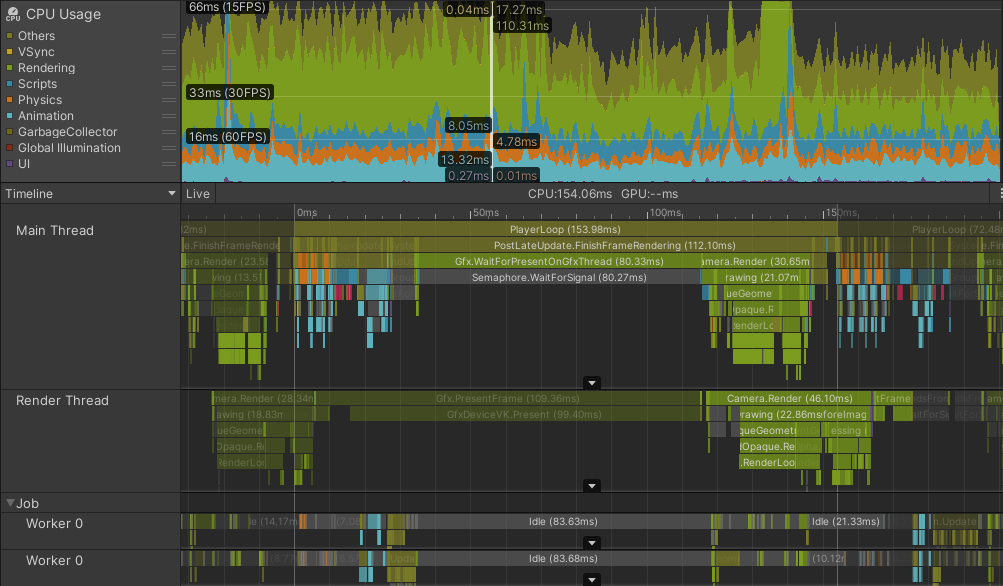
- Unity Profiler: Integrated into the Unity game engine, the Unity Profiler offers powerful performance analysis tools for monitoring CPU, GPU, and memory usage in Unity projects. It helps developers identify performance bottlenecks and optimize game performance for different platforms.
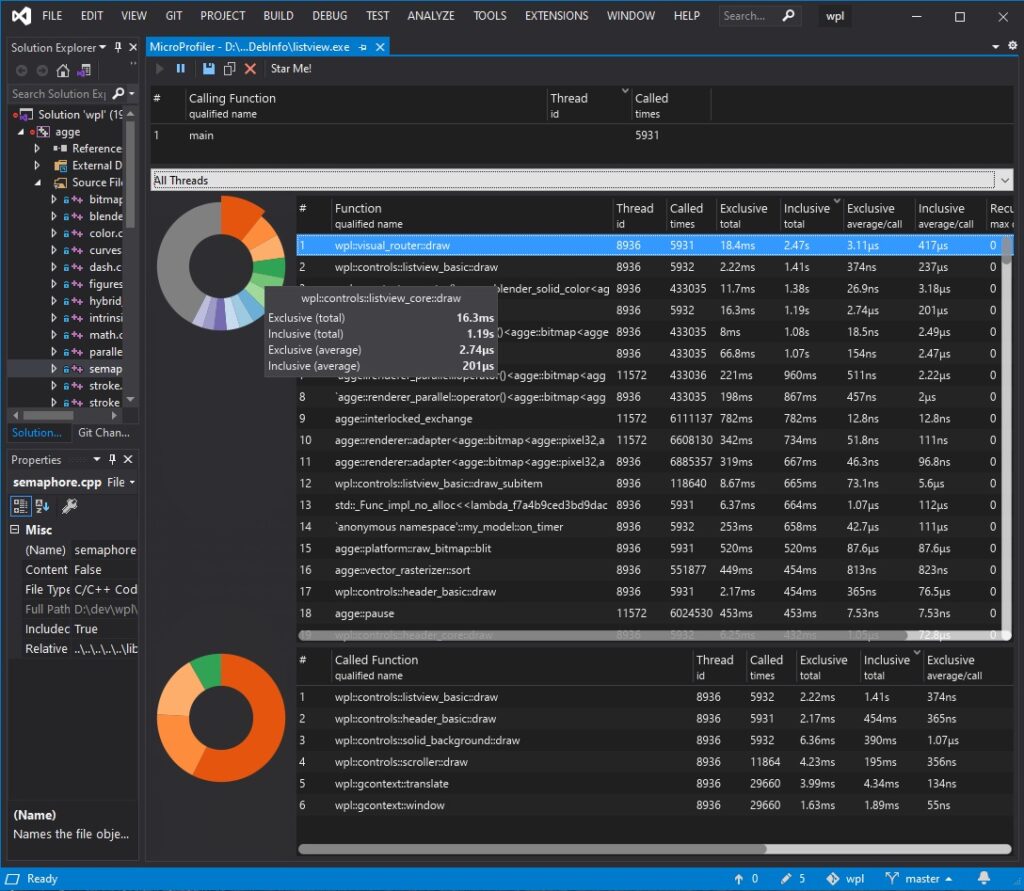
- Visual Studio Performance Profiler: Included in Microsoft Visual Studio, the Performance Profiler offers comprehensive performance analysis tools for .NET-based game projects. It allows developers to profile CPU and memory usage, analyze code execution times, and identify performance hotspots.
- Valgrind: A popular code analysis tool for C/C++ projects, Valgrind offers memory debugging and profiling capabilities. It helps developers detect memory leaks, identify memory-related errors, and optimize memory usage for improved performance and stability.
Read about also: Optimizing Game Development Workflow with Dependency Management Utilities.
Conclusion
Code analysis utilities play a vital role in optimizing game performance, ensuring that games run smoothly and efficiently on a wide range of platforms and hardware configurations. By identifying performance bottlenecks, optimizing resource usage, and detecting memory leaks, these tools empower developers to create high-performance games that captivate players and stand out in the competitive gaming market.
As game development continues to evolve, the importance of performance optimization will only grow. By embracing code analysis utilities and adopting best practices in performance optimization, developers can ensure that their games deliver exceptional performance, providing players with immersive and enjoyable gaming experiences that keep them coming back for more.